




Ailytics raises US$7.4M Series ARead more

Anomaly detection for CCTV on construction and industrial sites

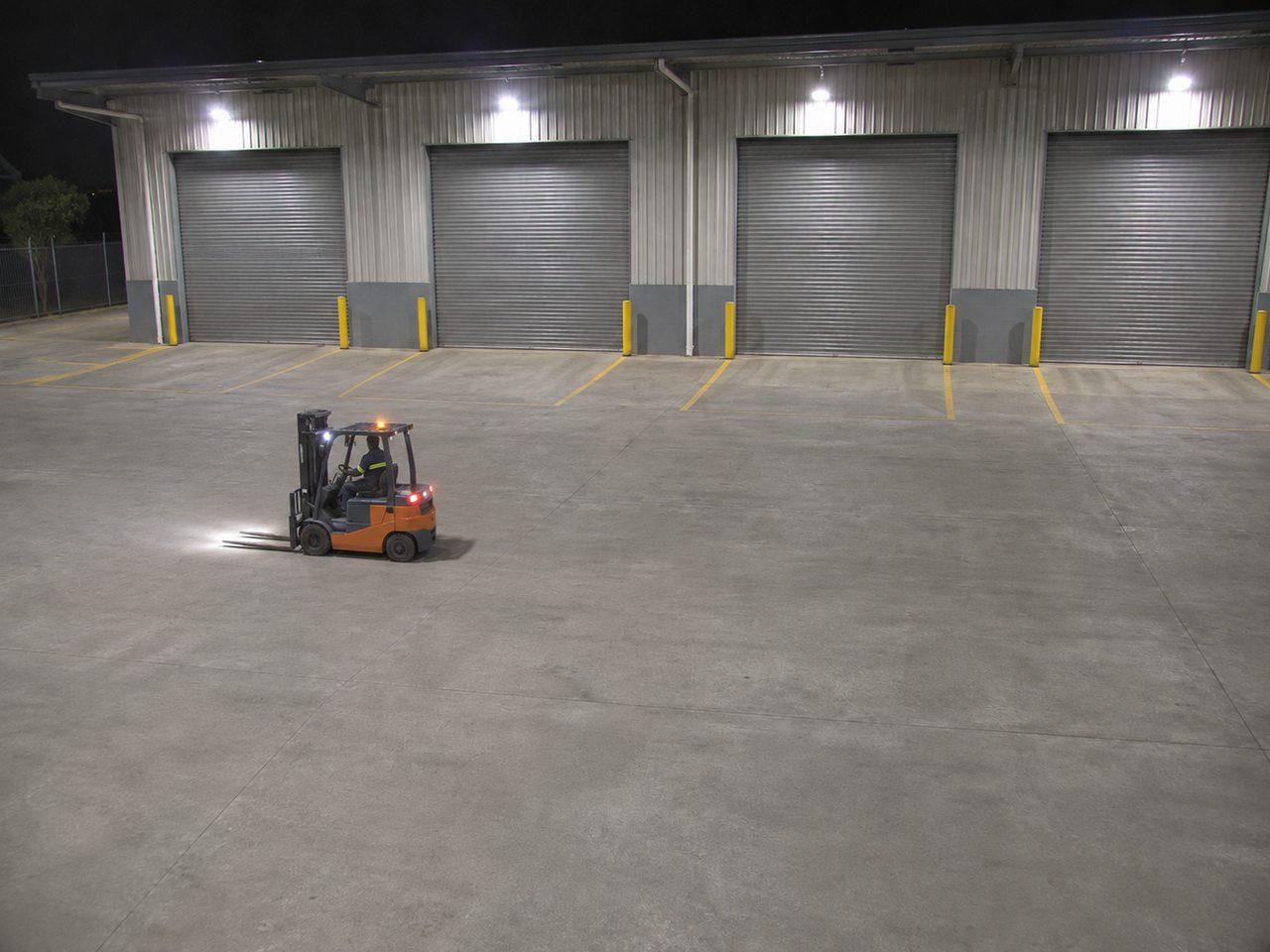
Anomaly detection uses your CCTV to flag activity that is not normal for a camera, such as a forklift in a closed loading bay or a person lying on the floor.

Live in under 2 weeks on your existing cameras.

Trusted on 400+ projects in 15 countries

  • Changi Airport Group
  • Woh Hup
  • DHL
  • Obayashi
  • Laing O’Rourke
  • Land Transport Authority
  • Rogers-O’Brien Construction
  • NatSteel
  • 400+ projects in 15 countries since 2019
  • 50+ configurable safety, security and productivity use cases
  • <2 weeks to go live on the cameras you already own

Where do CCTV rules and motion alerts fall short?

A detection rule checks for one thing that someone defined in advance. A motion alert fires on anything that moves. An event that no rule covers is recorded, and it goes unnoticed.

Detect anomalies across existing cameras

Ailytics compares each camera view with what that camera normally shows at that time of day. It flags activity at an hour that is normally quiet, and unusual actions such as a person lying on the floor. Your team gets an alert with the frame, time, and location, and decides what to do.

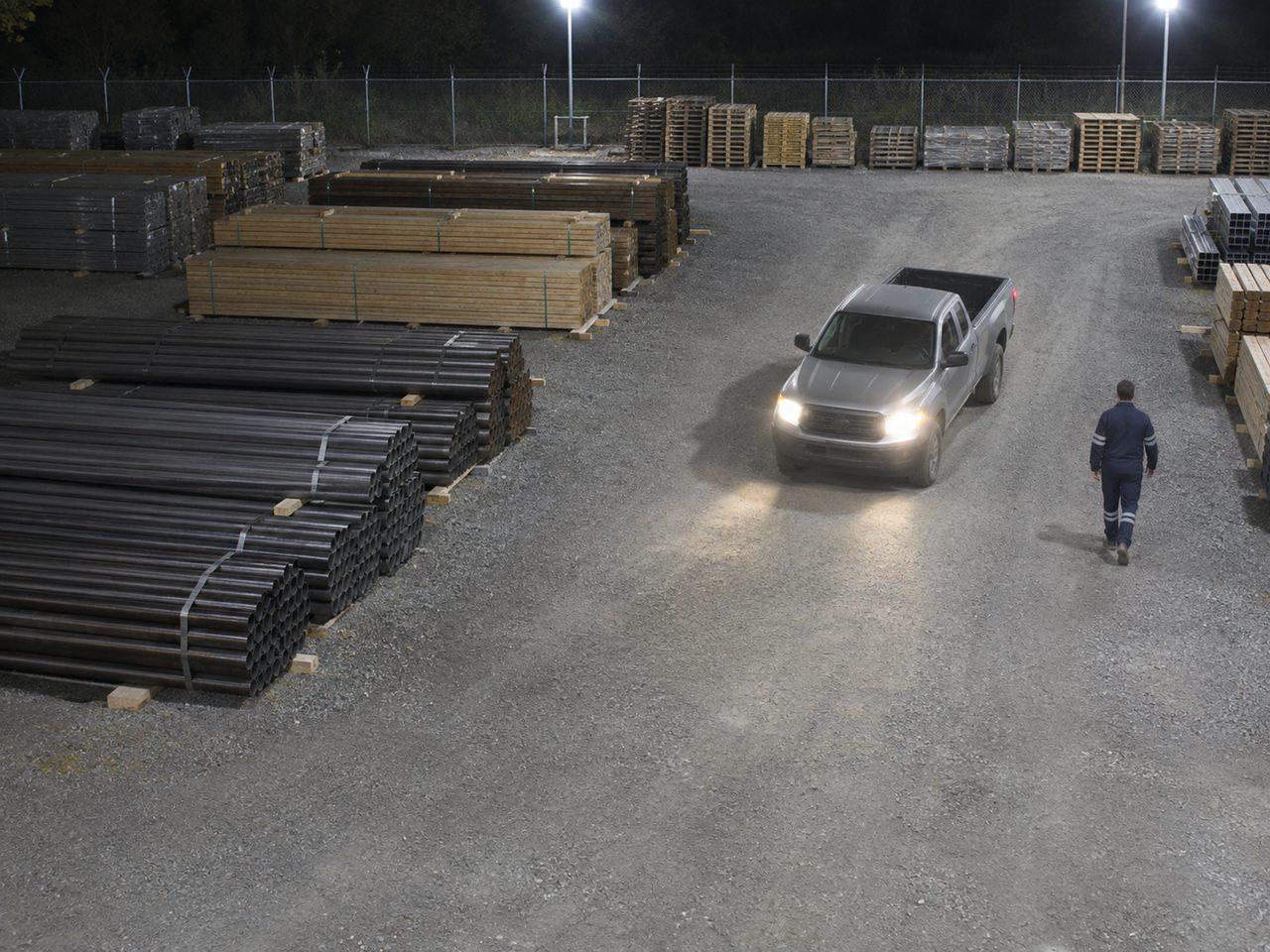
Illustrative night camera on a laydown yard: a pickup truck driving between stacks of pipe and timber with a person walking beside it, at an hour when the camera normally shows no activity, flagged by Ailytics as unusual activity.Not normal at 22:52
Cam 08 · Laydown yard · Illustrative
Unusual activity · Cam 08Laydown yard · normally empty at this hour · 22:52
Area supervisor checks the frameFrame, time, and location attached · 22:53
Event added to the logThird event on this camera this week · in the weekly report
  1. Choose the cameras

    Choose the views to watch, starting with the ones that are quiet for most of the day, such as loading bays at night, plant rooms, and laydown yards.

  2. Detect activity that is not normal

    Compare each view with what that camera normally shows, and flag activity at an unusual hour or an unusual action, such as a person lying on the floor.

  3. Notify with frame, time and location

    Send the person responsible for that area the event evidence, so they can check the frame and decide what to do.

  4. Log events for review

    Log every event with its camera, time, and location, so repeat events show up in weekly reports and can become rules.

Anomaly detection your team can act on

Connect your cameras, choose the views to watch, and give the people responsible for each area alerts and an event log that support daily site work.

Detection

Flag activity that differs from each camera's normal pattern

Normal activity is different on every camera. A loading bay is busy at 10 a.m. and empty at 2 a.m., and a plant room is empty for most of the day. Ailytics compares what a camera shows now with what it normally shows at that hour, and flags activity that differs enough. That includes people, vehicles, and machinery.

  • A normal pattern for each camera
  • Compared by time of day
  • People, vehicles, and machinery

Unusual actions

Spot unusual actions, such as a person lying on the floor

Some events stand out because of what a person is doing, at any hour. Anomaly detection also flags actions that are not normal for a camera view, such as a person lying on the floor, standing on a table, or running through a work area. The alert shows the event frame and makes no judgment about the person. Whoever receives it checks the frame and decides whether someone needs help.

  • Person lying on the floor
  • Person standing on a table
  • Person running through a work area

Where to use it

Start with the cameras that are quiet most of the day

Anomaly detection is most useful where little should happen, such as a loading bay at night, a plant room, a laydown yard after hours, or a container row between shifts. A main gate or a yard at shift change is busy in many different ways, so less stands out there. Cover those views with detection rules such as PPE detection and no-access zones.

  • Loading bays, plant rooms, and laydown yards
  • Chosen camera by camera
  • Detection rules on busy views

Response

Send every alert to someone who can respond

Each alert carries the event frame, time, camera, and location. It lands in the same queue as your PPE, zone, and machinery alerts. Send it to the person responsible for that area, who checks the frame and decides what to do. Cooldowns stop one event from sending repeat alerts.

  • Event frame, time, and location
  • Same queue as your other alerts
  • Cooldowns for repeat alerts

Event log

Turn repeat events into detection rules

On a new site or a changed layout, nobody knows yet which rules each camera needs. The event log shows what happens on each view, with the camera, time, and location of every event. When the same event keeps coming back, such as a vehicle in the laydown yard after hours, add a rule for it from the 50+ configurable use cases or the custom use-case builder.

  • Event log by camera and time
  • Repeat events in weekly reports
  • 50+ configurable use cases

Camera connection

Use cameras you already own

Connect existing IP cameras and compatible recording systems through RTSP or ONVIF. Add anomaly detection to the cameras that already cover your loading bays, yards, and plant rooms, with no new cameras to install. Coverage is assessed against your camera views, including night views and poorly lit areas.

  • Existing IP cameras
  • RTSP and ONVIF connections
  • No camera replacement

Frequently asked questions

What is anomaly detection on CCTV and how does it work?

Anomaly detection flags activity that differs from what a camera normally shows. Ailytics is video anomaly detection software for construction and industrial sites. It compares each camera view with that camera's normal pattern for the time of day. It flags activity at an unusual hour, such as a forklift in a closed loading bay at night, and unusual actions, such as a person lying on the floor. Your team gets an alert with the frame, time, and location. A person checks the frame and decides whether it matters.

How is AI anomaly detection different from a detection rule?

A detection rule looks for one defined event, such as a missing hard hat or a person inside a no-access zone. Anomaly detection does not look for one defined event. It flags activity that is not normal for that camera at that hour, such as a forklift moving in a closed loading bay at night. A rule is still the right choice for a hazard you can define. Ailytics runs both on the same cameras, and every alert lands in the same queue.

Can anomaly detection flag unusual actions, such as a person lying on the floor?

Yes. Anomaly detection flags actions that are not normal for a camera view, at any hour. Examples include a person lying on the floor, a person standing on a table, and a person running through a work area. The alert carries the event frame, time, and location. It does not say why the person is doing it. A person lying on the floor may need help, or may be working at floor level, so the person who receives the alert checks the frame and decides.

Which cameras should we use anomaly detection on?

Start with cameras where little should happen for most of the day. Good examples are loading bays at night, plant rooms, laydown yards after hours, quiet corridors, and container rows between shifts. On a busy view, such as a main gate or a yard at shift change, normal activity varies so much that less stands out. Cover busy views with detection rules, and use anomaly detection on the quieter cameras around them.

Does anomaly detection replace PPE, zone, or lifting checks?

No. A hazard with severe, immediate consequences needs its own detection rule, such as open edge detection for falls from height or suspended load detection for lifting areas, and a physical control where your site requires one. Anomaly detection runs alongside those rules and covers the events they were not written for.

Is anomaly detection reliable enough for safety?

Use it as a first check, with a person making the decision. Anomaly detection flags activity that is unusual for a camera, and unusual does not always mean unsafe. A night delivery or a maintenance visit can raise an alert. The person responsible for the area checks the frame and decides what to do. For a hazard where a missed event is not acceptable, add a detection rule on that camera as well.

How do we reduce false anomaly alerts?

Most unwanted alerts come from where anomaly detection is used. Common causes are a busy camera treated like a quiet one, and a change in site routine, such as a new shift pattern or a delivery window that moved. Use it on quieter views, review the alerts from the first weeks, and set cooldowns so one event sends one alert. Before go-live, name the person who receives each camera's alerts and what they do with them.

Does anomaly detection identify people?

No. Anomaly detection looks at activity in the camera view and does not need to know who anyone is. Each event records the camera, time, and location, and faces and bodies can be blurred while detection continues. The alert shows the event frame, and your team decides what to do next.

Does anomaly detection work on existing cameras at night?

Yes, where the camera gives a usable view. Ailytics connects to existing IP cameras and compatible recording systems through RTSP or ONVIF, the standard way cameras and recorders from different brands share video. Its models are fine-tuned for heavy industries and conditioned for harsh conditions, including rain, dust, and low light. People and vehicles still need to be visible and large enough in the frame. Bring night footage from the cameras you want to cover to the demo for a coverage assessment.

Can anomaly detection footage stay on our network?

Yes. The Ailyssa detection engine can run on edge, on-premise, or cloud infrastructure. With edge or on-premise deployment, video stays on your network. Your IT and site teams can review the deployment approach together, including video access, storage, network requirements, and how alerts reach your team. Ailytics is ISO/IEC 27001 certified.

Can we combine anomaly detection with other safety and security checks?

Yes. Anomaly detection runs on the same cameras and alert queue as PPE detection, pedestrian detection near machinery, no-access zones, and loitering detection. For after-hours coverage across a whole site, see AI security guard. See the construction, manufacturing, and logistics and warehousing pages for the checks each kind of site runs.

See anomaly detection on your site

Bring your CCTV views and the areas that are quiet for most of the day. See how Ailytics can help your team catch the events that no rule covers.

Request a demo