







Ailytics raises US$7.4M Series ARead more

Loitering detection for yards, perimeters, and terminals

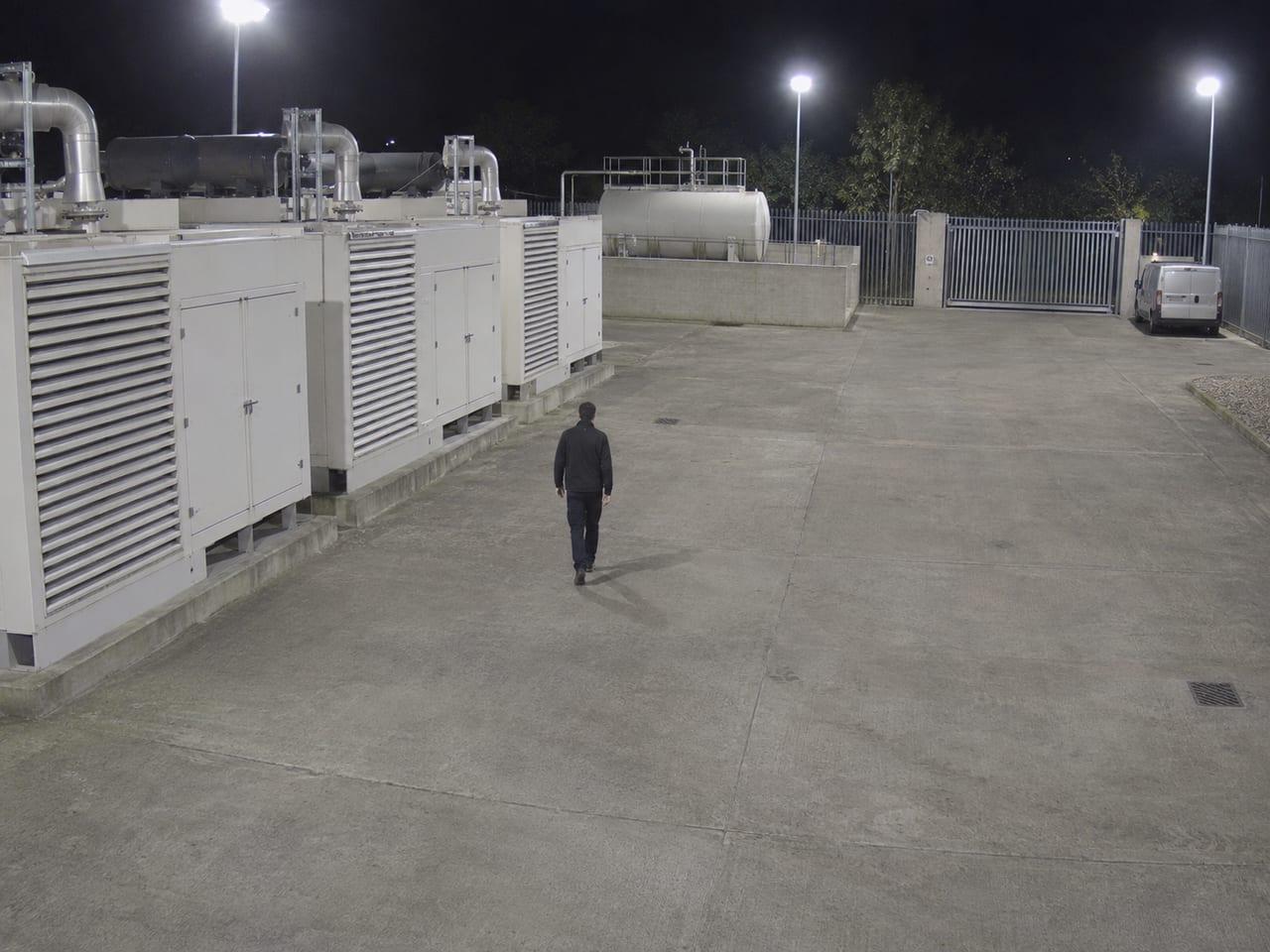
Loitering detection alerts your security team when a person or vehicle stays too long at a gate, yard, or fence line, using the CCTV cameras you already have.

Live in under 2 weeks on your existing cameras.

Trusted on 400+ projects in 15 countries

  • Changi Airport Group
  • Woh Hup
  • DHL
  • Obayashi
  • Laing O’Rourke
  • Land Transport Authority
  • Rogers-O’Brien Construction
  • NatSteel
  • 400+ projects in 15 countries since 2019
  • 50+ configurable safety, security and productivity use cases
  • <2 weeks to go live on the cameras you already own

Where does CCTV monitoring fall short?

Cameras record everyone who stops at a gate, yard, or fence line. Nobody can watch every feed through the night, so a person or vehicle that stays too long goes unnoticed.

Detect loitering across existing cameras

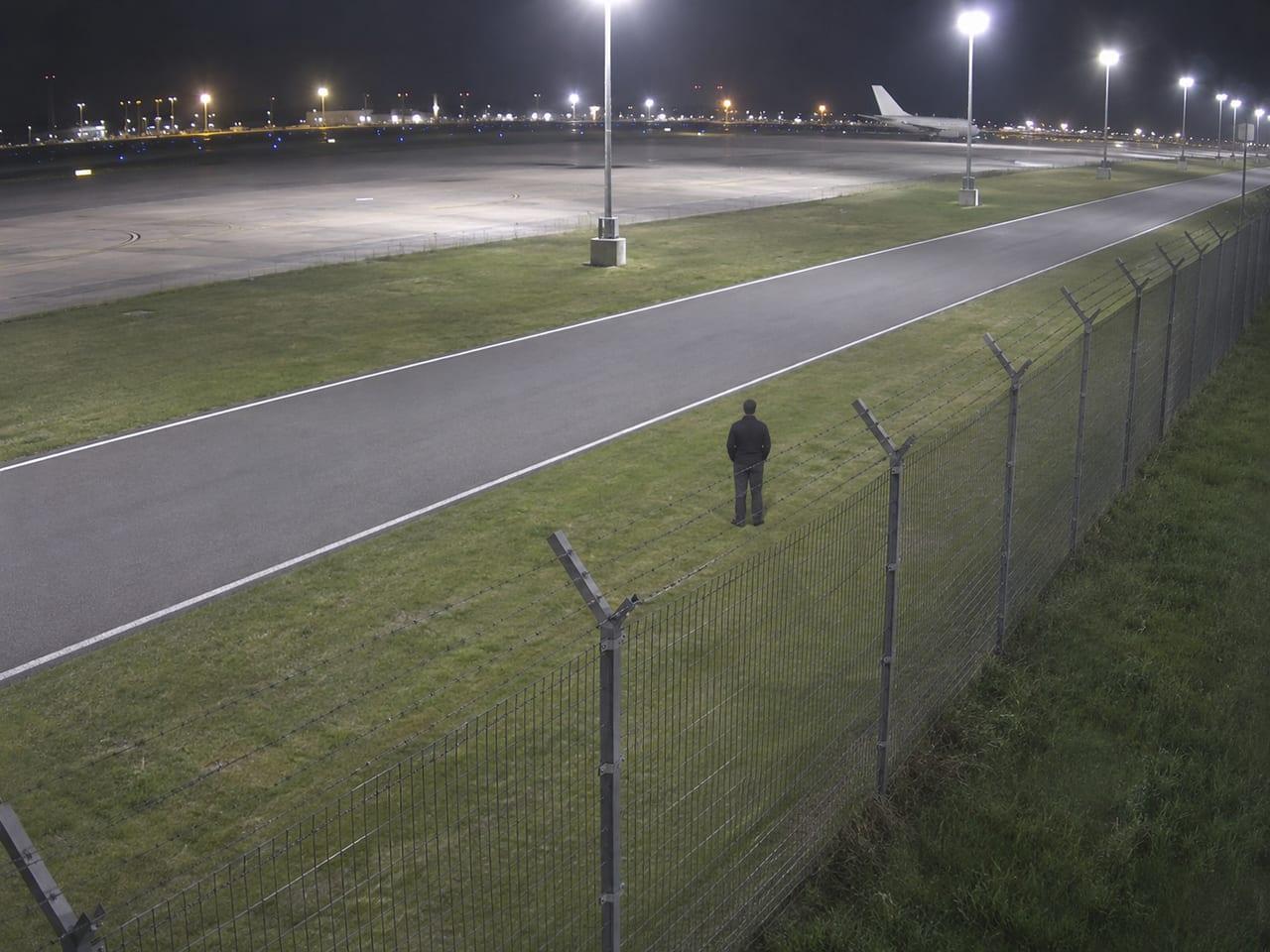
Draw a zone on a camera view and set how long a person or vehicle may stay in it. Ailytics tracks everyone who enters the zone and alerts your team with the frame, time, and location when someone stays past the limit.

Illustrative night camera on a fence line: a person standing on the strip inside the fence is tracked by Ailytics, stays past the zone's time limit, and is flagged.Person in zone · 7 min
Cam 03 · Fence line · Illustrative
Person in fence zone for 7 min · Cam 03Fence line · limit 5 min · 01:47
On-call lead checks the frameFrame, time, and location attached · 01:48
Event added to the logThird event in this zone this week · in the weekly report
  1. Draw the zone

    Choose the cameras to watch, then draw a zone where nobody should wait. Leave out waiting areas, smoking areas, and staff entrances.

  2. Set the time limit and hours

    Set how long a person or vehicle may stay in the zone, and the hours the limit applies.

  3. Notify with frame, time and location

    Send the security team the event evidence when someone stays past the limit, so they can check the frame and respond.

  4. Log events for review

    Log every event with its zone, time, and length of stay, so repeat visits show up in weekly reports.

Loitering detection your team can act on

Connect your cameras, set a zone and time limit for each view, and give your security team alerts and an event log that support daily security work.

Zones and limits

Set a time limit that fits each zone

Draw a zone on the camera view where nobody should wait, such as a fence line or a storage area. Check how long people and vehicles normally stay there over a week, then set the time limit (the dwell time) above the longest normal wait, such as a delivery at the gate. Choose the hours the limit applies.

  • Zones drawn on each camera view
  • Time limit per zone
  • Active hours per zone

People and vehicles

Set separate limits for people and vehicles

A delivery van may need several minutes at a gate where a person on foot has no reason to wait. Set one limit for people and another for vehicles in the same zone, so a quick drop-off raises no alert and a vehicle that stays too long does.

  • Person loitering
  • Vehicle loitering
  • Separate limits for each

Repeat visits

See when the same vehicle keeps coming back

Every event is logged with its zone, time, and length of stay. Where a camera captures license plates at the gate, the plate is saved with the event. Weekly reports show repeat visits, so your team can see that the same vehicle waited at the same fence on three nights.

  • Event log by zone and time
  • Weekly trend reports
  • License plate capture at entry and exit

Camera connection

Use cameras you already own

Connect existing IP cameras and compatible recording systems through RTSP or ONVIF. Add loitering detection to the cameras that already cover your gates, yards, and fence lines, with no new cameras to install. Coverage is assessed against your camera views, including distant and poorly lit areas.

  • Existing IP cameras
  • RTSP and ONVIF connections
  • No camera replacement

Privacy

Detect loitering without identifying people

Loitering detection measures how long someone stays in a zone. It does not need to know who they are. Each event records the zone, camera, time, and length of stay, and faces and bodies can be blurred while detection continues.

  • Face and body blurring
  • No identification of people
  • ISO/IEC 27001 certified

Frequently asked questions

What is loitering detection and how does it work?

Loitering detection flags a person or vehicle that stays in one place longer than it should. With Ailytics, you draw a zone on an existing CCTV view and set a time limit for it, often called the dwell time. Ailytics tracks each person or vehicle that enters the zone. When one stays past the limit, it alerts your team with the frame, time, and location. Your team checks the frame and decides how to respond.

How is loitering detection different from trespassing or intrusion detection?

Each one checks for something different. Trespassing detection flags anyone in an area where nobody is allowed. Intrusion detection flags someone crossing a boundary, such as a fence line. Loitering detection flags someone who stays in a zone past its time limit, so it suits places people may pass through but should not wait, such as the area in front of a gate or the road along a fence. Ailytics runs loitering detection alongside no-access zones and access breach detection on the same cameras.

How long should the loitering time limit be?

Set the time limit, also called the dwell time, longer than the longest normal wait in that zone. Check a week of activity first and note how long deliveries, pickups, and waiting crews usually stay. A busy gate needs a longer limit. A fence line or storage area where nobody should stop can take a shorter one. Review each limit after the first few weeks of alerts.

How do we reduce false loitering alerts?

Most false alerts come from how the zone and limit are set. Common causes are a short limit on a busy gate, a zone that covers a smoking area, bus stop, staff entrance, or queue, and a night rule left running through shift changes and delivery windows. Redraw the zone, raise the limit, or change the hours it applies. Cooldowns stop one person waiting from sending repeat alerts.

Does loitering detection identify people?

No. Loitering detection measures how long a person stays in a zone and does not need to know who they are. Each event records the zone, camera, time, and length of stay, and faces and bodies can be blurred while detection continues. The alert shows that someone stayed past the limit, and your team decides what to do next.

Does loitering detection work on existing cameras at night?

Yes, where the camera gives a usable view. Ailytics connects to existing IP cameras and compatible recording systems through RTSP or ONVIF, and its models are conditioned for harsh conditions, including low light and rain. The person or vehicle still needs to be visible and large enough in the frame, and fence lines and far corners often have the weakest coverage. Bring footage from your weakest camera as well as your best to the demo for a coverage assessment.

Can loitering detection flag a vehicle that keeps coming back?

Yes. Vehicles have their own time limit, and every event is logged with its zone, time, and length of stay. With license plate capture at the entry and exit, the plate is saved with each event, so the log can show the same vehicle at the same spot on several nights. Weekly reports show alert trends, and the records support reporting to clients and insurers.

Can loitering footage stay on our network?

Yes. The Ailyssa detection engine can run on edge, on-premise, or cloud infrastructure. With edge or on-premise deployment, video stays on your network. Your IT and security teams can review the deployment approach together, including video access, storage, network requirements, and how alerts reach your team. Ailytics is ISO/IEC 27001 certified.

Can we combine loitering detection with other security checks?

Yes. Loitering detection runs on the same cameras and alert queue as no-access zones, access breach, unattended objects, occupancy limits, vehicle detection, and safety checks such as PPE detection. For after-hours coverage across a whole site, see AI security guard. The same cameras can also flag a brandished firearm with AI weapon detection.

See loitering detection on your site

Bring your CCTV views and the areas where people or vehicles should not wait. See how Ailytics can help your security team respond while someone is still on site.

Request a demo